A Motorola speaker that goes quiet or muffled right after getting wet is usually not broken — it is blocked. Water sitting on the speaker mesh stops the diaphragm moving freely, so music sounds dull and voices sound as if they are coming from underwater. The fix is to vibrate that water out with sound, then let the phone dry properly. It works on the Moto G range, the Edge range, and — with extra care — the folding Razr.
Motorola phones do not include a built-in water-eject feature, so you will use a browser tool. No app, no download, and no account are needed. The steps below take a few minutes, and they follow the same method as our guides for other Android brands — the differences for Motorola are in the details: the water-repellent coating many Moto phones carry, the grille position, and the extra caution a folding phone needs.
Before you start
Take the case off and wipe the phone dry with a soft cloth. The speaker grille on most Moto G and Edge phones sits on the bottom edge, sometimes beside the USB-C port; on the Razr it sits on the lower half of the phone. Look for the row of small holes and wipe across it gently. If droplets are sitting on the grille, dab them off rather than rubbing them into the mesh.
If the phone was submerged, power it off and do not charge it until the port is dry. Many Motorola phones carry a water-repellent nano-coating rather than a certified IP68 rating, so do not assume your model is waterproof — check its specification. A coating helps with splashes and rain; it is not a promise that a dunk in the pool is harmless. Our first-aid guide for a phone dropped in water covers the full routine for a proper soaking, including what to do about the charging port.
Eject the water with sound
Hold the phone with the speaker pointing down, so gravity helps the droplets fall out as the tone shakes them loose. Open a browser-based speaker cleaner, set the volume high but below maximum, and run a low-frequency water-eject tone for 30 to 60 seconds. Wipe the grille between cycles and listen to a short voice recording or song after each one. You are listening for steady improvement: if each cycle sounds a little clearer, run one or two more. If three cycles make no difference at all, stop — the water may already be past the mesh, and further vibration will not help.
If the tone sounds unpleasant, that is normal; low-frequency cleaner tones are not meant to sound good. Keep the phone away from your ear while it plays, and do not run it at maximum volume for long stretches on a soaked speaker. Our guide to whether water-eject sound is safe explains the sensible limits.
The method is the same one we describe for other Android phones — see our OnePlus and Google Pixel eject guides — because the speaker hardware works the same way. What matters is the position, the volume, and the pause to listen in between, not the brand on the back.
Extra care for the Razr
If you have a folding Razr, be gentler than you would with a slab phone. Do not shake it vigorously or snap it open and shut to “shake the water out” — the hinge is the most vulnerable part of the phone, and forceful shaking risks more harm than the water. Keep the phone open while you run the tone and while it dries, speaker-side down on a clean cloth. If water got into the hinge area, leave the phone open in a dry, ventilated spot and give it longer to dry before judging the speaker. If the hinge feels gritty or stiff after drying, or the fold does not sit flat, that is a repair-shop check, not a home fix.
Dry it properly, then test everything
Ejecting the water you can see is not the end of it. Leave the phone speaker-side down in a dry spot for several hours, overnight after a full submersion. Do not use a hair dryer — hot air can damage seals and drive moisture deeper, as our hair dryer guide explains. Do not use a bowl of rice either; rice dries very little and its dust can add to the blockage. Silica gel packets help if you have them, but air and time do most of the work.
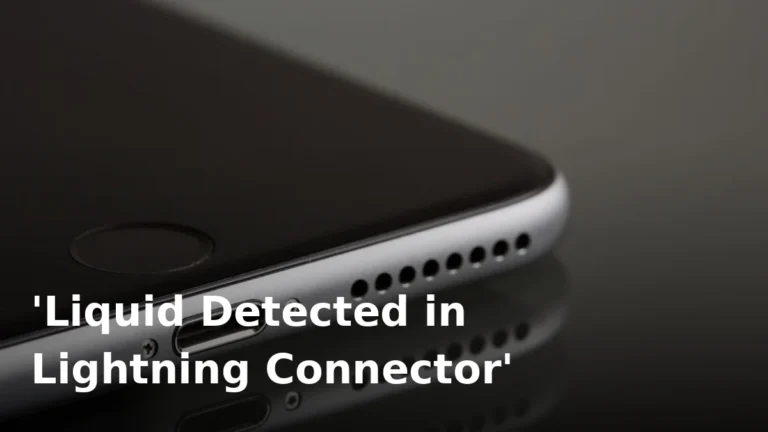
Once the phone is dry, test more than the speaker. Make a call on speakerphone and on the earpiece, record a voice memo, and charge the phone only once the port is dry and any moisture warning has gone. If the phone warns about liquid in the connector, read our guide to liquid detected in the charging connector for the Android equivalent advice: wait, do not force a cable in, and do not use wireless charging as a shortcut around a wet port on a phone that supports it until the port has dried.
Salt water, pool water and soapy water need more urgency than a splash of tap water, because they leave residue and corrosion behind as they dry. If that is what got in, follow the drying steps promptly and read our salt water guide — and do not rinse the phone under a tap to “wash it out” unless the manufacturer rates it for that, which most Moto phones are not.
What never to do
Do not poke the grille with a pin, needle or SIM tool. The mesh is thin, and a puncture turns a drying problem into a speaker replacement. Do not blow compressed air into the grille at close range, which can force water past the mesh. Do not put the phone on a radiator, in an oven, or in strong direct sun. And do not assume a speaker that sounds better after one tone is fully fixed — retest it the next morning, after a proper dry, before you call it done.
When to get help
Book a repair if the speaker still sounds muffled, crackly or distorted after a full day of drying, if the volume stays noticeably lower than before, or if other problems appear — charging faults, a microphone that stays quiet, or a Razr hinge that feels wrong. Tell the repairer what liquid was involved and how long the phone was wet. Water damage inside the speaker or corrosion on its contacts cannot be fixed with a tone, but a proper clean and test can often save the phone if it is caught early.
Frequently Asked Questions
Does Motorola have a built-in water eject feature?
No. Moto phones have no built-in water-eject sound. Use a free browser-based speaker cleaner tone, with the speaker pointing down, in short 30 to 60 second cycles.
How do I eject water from a Moto G speaker?
Remove the case, wipe the bottom-edge grille, hold the phone speaker-down, and run a low-frequency tone at high (not maximum) volume. Wipe and listen between cycles, and repeat once or twice if it is improving.
Is it safe to use a water-eject tone on a Razr?
Yes, if you are gentle. Keep the phone open, do not shake it hard, and let it dry open and speaker-side down. If the hinge feels gritty or stiff afterwards, get it checked professionally.
Can I charge my Motorola phone while it is wet?
No. Do not charge until the USB-C port is dry and any moisture warning has cleared. Charging a wet port can corrode the contacts.
Are Motorola phones waterproof?
Many carry a water-repellent coating rather than a certified IP rating, which helps with splashes but does not make the phone waterproof. Check your exact model’s specification before assuming it can survive submersion.
My Moto speaker is still muffled after drying. What now?
If it is still muffled after a full day of drying, the speaker or its contacts may be damaged or corroded. Book a repair rather than running more tones at maximum volume.
Try it now
Case off, speaker down, short tone, wipe, listen — then real drying time. Run the free speaker cleaner now, and retest the speaker in the morning before you decide it needs a repair.