You dropped your phone, the screen survived, but now the speaker is dead, quiet, or crackling. That is a common pattern, because the speaker is a small, delicate module held in place inside a phone that just took a sharp shock. Before you assume the worst, work through a few checks. Many drop-related speaker faults are a setting, a blockage, or a loose connection, and the order you check them in matters, because opening the phone should always be last.
First, check the obvious
Restart the phone. Drops can crash audio services, and a restart is free. Then check the obvious culprits: silent mode, Do Not Disturb, Bluetooth still connected to a car or earbuds, and volume turned down for media and calls separately. Play a local file, not a stream, so a bad connection cannot confuse the test. Then test with headphones. If headphones sound perfect, the fault is in the built-in speaker path, not the phone’s audio system. If headphones are also dead, the fault is wider, and a software or board issue is more likely.
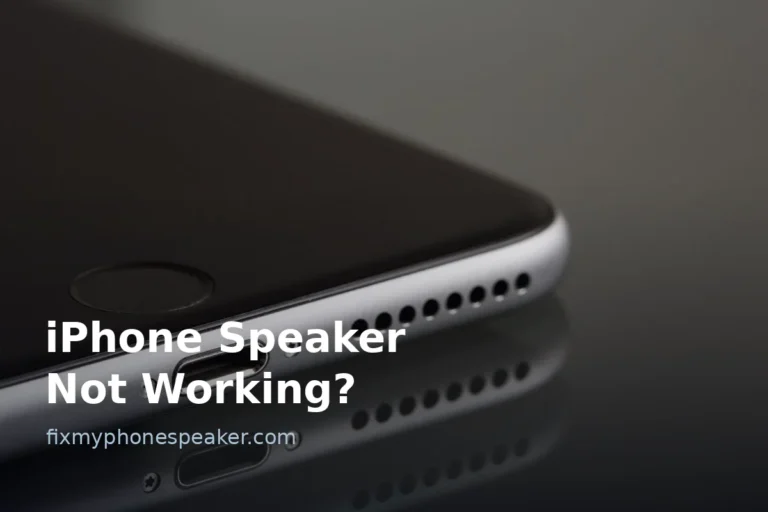
Take the case off and look at the speaker grille. A drop can crack a case edge over the grille, or push debris into it. Brush the grille gently with a soft brush. If the phone landed in dirt, gravel or sand, that debris alone can mute a speaker, and cleaning it is a five-minute fix.
What a drop actually damages
A speaker module contains a thin membrane and a coil, both mounted in a small frame. A hard impact can crack the frame, tear the membrane, or unseat the module’s connector from the board. A torn membrane usually crackles or buzzes at all volumes. A loose connector usually gives intermittent sound, or sound that returns when you press a certain spot on the phone. A cracked screen near the speaker can also press on the module or let dust in.
Press the phone gently around the speaker area while audio plays. If sound reliably comes and goes with pressure, that points to a loose connection, and you should stop pressing and book a repair. Repeated flexing can make a loose connector worse.
Also check the rest of the phone. If the screen flickers, the camera rattles, or charging feels loose after the same drop, mention all of it to the repair shop, because a single impact can cause several faults and a good technician will check the board, not just swap the speaker.
Water, dust and seals after a drop
A drop breaks water and dust seals even when the glass looks fine. Hairline frame bends let dust and moisture in over the following days, so a speaker that works after the drop but goes muffled a week later may be suffering from that slow ingress, not from the impact itself. Keep the phone dry, avoid dusty pockets for a few days, and get a bent frame checked, because seals do not heal themselves.
If the phone fell into water as well as onto a hard surface, treat water first. Dry it properly before charging or playing loud audio, and read the water first-aid steps before anything else.
Software checks after a drop
Drops do not change software, but they do change how you notice settings. Check that the phone is not stuck in headphone mode, which happens when debris or a bent jack or port fools the phone into thinking headphones are connected. Clean the port gently, restart, and test. Check for a system update that may have coincided with the drop, and try safe mode on Android to rule out an audio app that started misbehaving at the same time. Back up before any factory reset, and only reset after hardware checks, because a reset will not reseat a connector.
Repair, warranty and cost sense
If the speaker is dead or crackles after all the checks above, a repair shop can test the module in minutes and usually replace it without replacing the whole phone. Tell them exactly how the phone fell, from what height, onto what surface, and whether sound changed immediately or later. That history helps them decide between a module swap and a board check.
On warranty, be honest. Accidental damage is normally not covered by a standard manufacturer warranty, but it may be covered by accidental-damage insurance or a retailer plan, and a shop repair that opens the phone can affect remaining warranty. Get a quote first, and compare it with the phone’s value. On an older phone, a speaker module is usually worth replacing. On a phone with a bent frame and a cracked board, the honest answer may be to back up and replace the handset.
Frequently Asked Questions
Why is my speaker dead after a drop but everything else works?
The speaker module is small and shock-sensitive, and its connector can unseat without affecting the screen or processor. That is why an isolated speaker fault after a drop is common.
Can a drop damage the speaker without cracking the screen?
Yes. Internal shock can tear the membrane or loosen the connector while the glass survives, especially on a corner or edge impact.
Should I keep using a crackling speaker after a drop?
Briefly for testing is fine, but do not run it at full volume for long. A damaged membrane can worsen, and debris inside can damage other parts.
Does a case prevent drop damage to the speaker?
A good case reduces impact force, but it cannot guarantee the speaker survives a hard drop, and a cracked case edge can itself block the grille, so check the case first.
Will a factory reset fix a speaker broken by a drop?
No, unless the fault is software, which a drop rarely causes. Do the headphone, case, grille and pressure tests first, then get the hardware checked.
How much does a phone speaker replacement cost?
It varies by model and shop, but a speaker module swap is normally one of the cheaper phone repairs. Get a quote that includes testing the connector and board, not just the part.
Start with a clean test: Fix My Phone Speaker lets you play test tones and cleaning sounds in your browser. If the drop involved water, see Phone Dropped in Water: First Aid first, and if the sound is distorted rather than dead, compare with Is My Phone Speaker Blown?.