
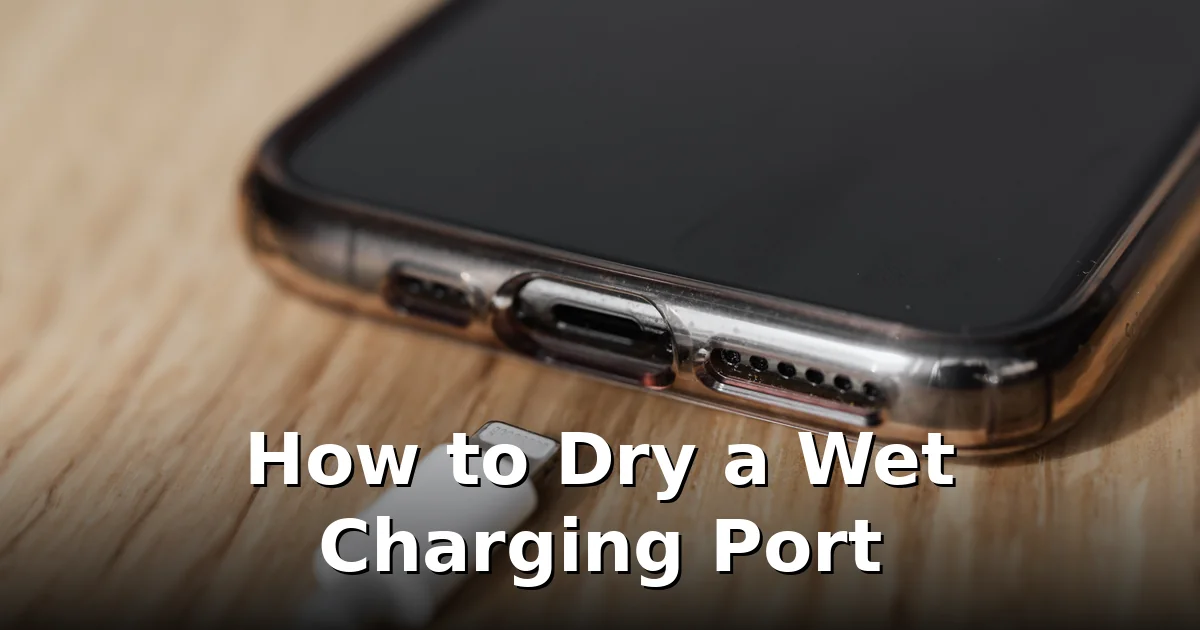
Dropped your phone in the sink, got caught in the rain, or spilled something near it? A wet charging port is one of those problems that tempts you into the worst possible response: plugging the charger in “just to check.” Don’t. Electricity and water inside that tiny port is how you turn a five-minute drying job into a dead charging circuit. Here’s the safe way to get the water out.
Step 1: Unplug and power off
If a cable is connected, remove it immediately. Then power the phone off. This isn’t strictly required, but it removes any active current from the port area while you work — and it stops you from absent-mindedly plugging the charger back in.
Step 2: Get the bulk water out
Hold the phone with the charging port pointing down and give it a few gentle shakes. You’re not trying to fling the phone across the room — short, light flicks of the wrist let gravity pull droplets out of the port cavity. Repeat a few times, pausing between shakes so water can migrate toward the opening.
Then dab around the port opening with a dry, soft cloth or the corner of a paper towel. Wipe the outside of the phone too — water sitting on the body will happily wick back into the port.
Step 3: Air-dry, port down
Set the phone down with the charging port facing down and leave it in open air for at least 3–5 hours. A small fan blowing gently across the phone makes a real difference — moving air carries moisture away far faster than still air. Our phone-dropped-in-water first aid guide walks through the full drying routine for a soaked phone.
Whatever you do, do not insert anything into the port: no cotton swabs, no tissues twisted into points, no toothpicks, no paper clips. You’ll bend the delicate pins, leave fibres snagged inside, or push the water deeper where air can’t reach it. The one exception is visible lint — a dry wooden toothpick used very gently can lift lint out, but skip this if you’re unsure.
Step 4: Check the speaker too
The speaker grille sits right beside the charging port on most phones, and water pools there just as happily. If audio sounds muffled or quiet after the phone dries, run a low-frequency cleaning cycle: play the tones at full volume with the speaker facing down and the vibrations push the trapped droplets out. Our free speaker cleaner runs the cycle straight from your browser. (iPhone users: the “liquid detected” warning is the same idea — see how to eject water from an iPhone speaker for the Apple-side specifics.)
How to charge while you wait
Need power before the port is dry? Two safe options:
- Wireless charging — Qi charging bypasses the port entirely. It’s the safest workaround on any phone that supports it. Dry the phone’s exterior first.
- A different phone — obvious, but worth saying: if you have a backup, use it. The wet phone can wait.
What you must not do is plug in a cable “just for a minute” to top up. Even a brief charge through a wet port starts corrosion on the pins, and corroded pins cause the slow-charging, intermittent-connection problems that show up weeks later.
Things people try that make it worse
- Rice. The classic myth. Controlled tests show rice barely outperforms open air as a desiccant, and rice dust and starch get into the port and speaker grille, creating new problems. Full debunking here: does putting your phone in rice actually work.
- Hair dryers and heat. Heat warps the phone’s water seals, softens adhesives, and stresses the battery. Room-temperature air only.
- Blowing into the port. Your breath is warm and humid — you’re adding moisture, not removing it.
- Compressed air at close range. A distant gentle puff is harmless, but blasting it point-blank drives water deeper into the phone.
When to worry
Most wet ports dry out with no lasting damage. See a repair shop if:
- The phone refuses to charge after 24+ hours of proper drying.
- You see greenish or dark residue on the pins — that’s corrosion, and it spreads.
- Charging is intermittent (works only at certain cable angles) — a pin is likely damaged or corroded.
- A Samsung shows a persistent “moisture detected” warning after a full day of drying — see our guide on Samsung’s moisture warning.
One more reality check: “water resistant” (IP67/IP68) is not “waterproof,” the seals wear down over time, and no manufacturer covers liquid damage under warranty. Treat every dunk as a real event — dry it properly now instead of discovering the damage a month later.
Frequently asked questions
How long does a charging port take to dry?
Plan for 3–5 hours minimum in open air with the port facing down; a fan shortens it. In humid rooms, allow up to 24 hours before assuming something is wrong.
Can I use my phone while the charging port dries?
Yes. Everything except wired charging works normally. Use wireless charging if you need power in the meantime.
Is it safe to charge with a wireless charger while the port is wet?
Yes — wireless charging doesn’t use the port at all. Just dry the phone’s exterior first so you’re not trapping moisture under the charger.
Will a wet charging port damage my charger or cable?
It can. Moisture on the port pins can corrode both the port and the cable’s connector. Let both dry fully before reconnecting, and inspect the cable end for residue.
My phone says “liquid detected” — how is that different from Samsung’s moisture warning?
Same concept, different brand. iPhones show “liquid detected in connector” and block charging for the same reason — protecting the port from short circuits. The drying steps are identical.
CTA: Water in the speaker too? Push it out with the free cleaning tones — then let the port finish air-drying before you plug in.

5 Comments
Comments are closed.